Counts every rep
On-device body tracking counts reps and times holds for presses, curls, squats, pull-ups, push-ups and more.
GymTracker watches your sets through the Mac or iPhone camera, counts every rep, logs the weight and shows how far you are from closing your rings. No wearable, no typing between sets.
Free during the beta. Beta testers get 12 months of Premium when it launches.
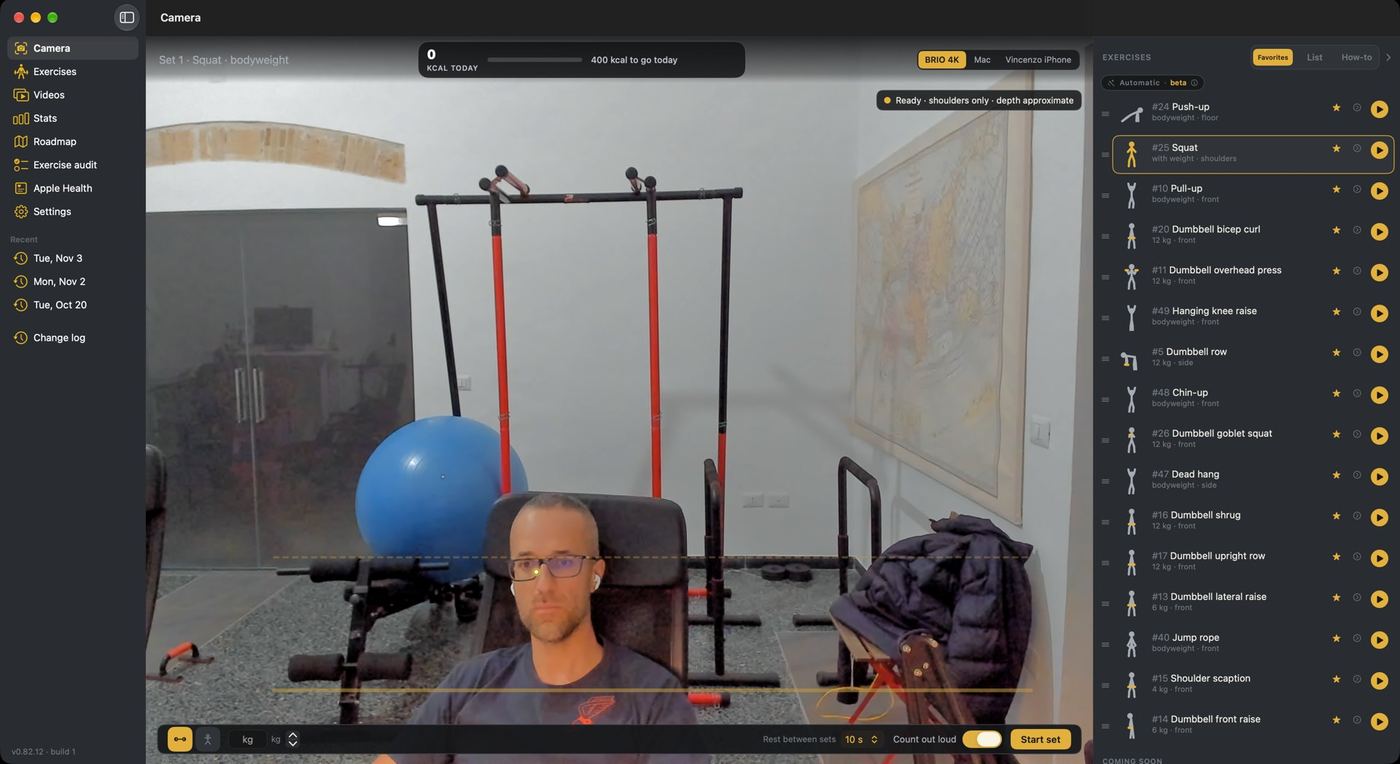
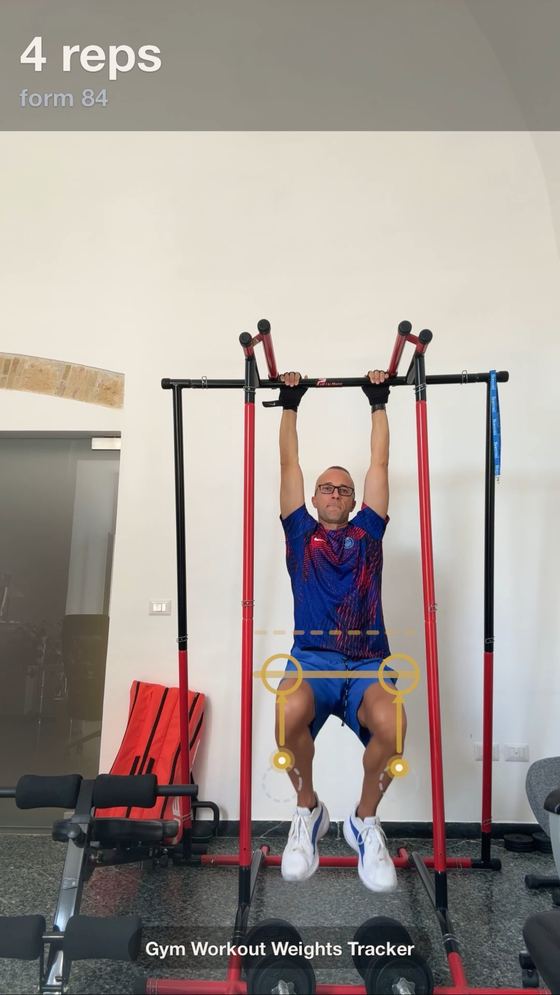
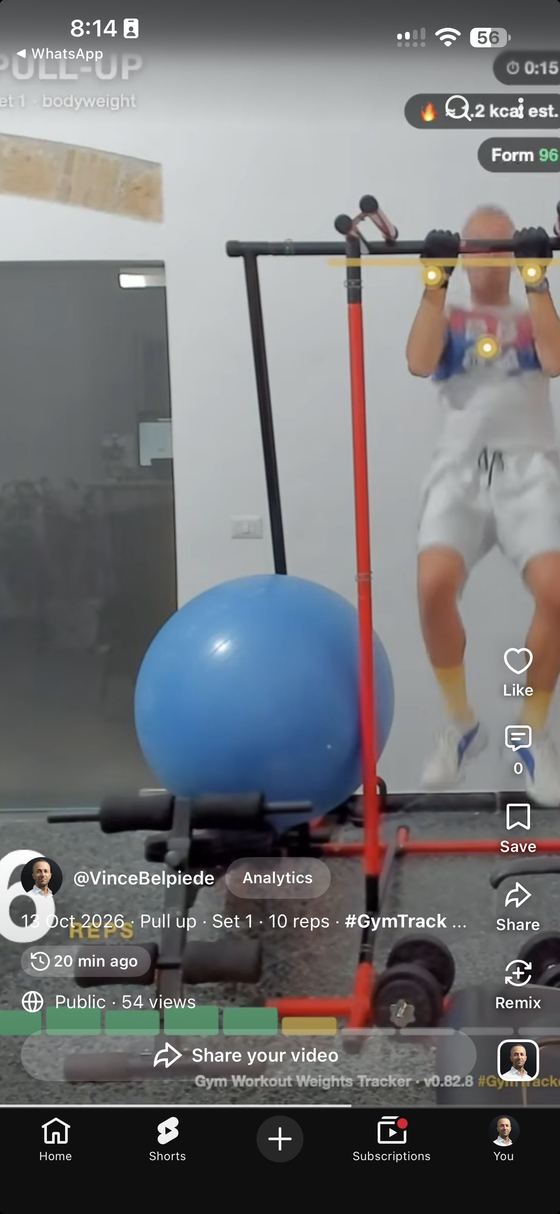
Most people stop tracking because it’s a chore: pause, unlock, type, repeat. GymTracker uses the camera you already own to count reps, time holds and keep the log, so the only thing you do between sets is rest.
On-device body tracking counts reps and times holds for presses, curls, squats, pull-ups, push-ups and more.
A bar fills from yellow to green as you reach the full range of motion, so half reps don’t count as full ones.
Today’s calories and your Activity rings at the top of the screen, plus how many sets close the goal.
Every set, weight and rest is saved and synced through your own iCloud between Mac and iPhone. The rest timer starts on its own.
Save any set as a vertical clip with reps, time, calories and form on it, sized for Shorts, Reels and TikTok.
Workouts and calories go to Apple Health, so the Fitness app and your Watch see them too.
Choose from your favourites. Set the weight once; it remembers it next time.
Prop up the Mac, the iPhone or a webcam. GymTracker tells you in plain words if it can’t see you.
Reps, time and calories update live. It counts out loud if you want.
The set is saved automatically, with a clip if you want one. The rest timer starts on its own.
Dumbbells, a bar or just your body. The list grows with input from coaches in the beta.
No account, no ads, no analytics. We never see your workouts.
Video frames are analysed on your Mac or iPhone and never uploaded.
Workouts sync through your own iCloud account only. We can’t see them.
Health data is never sold, used for ads or sent to us.
Saved in your Movies folder. Shared only when you share them.
Use your Mac’s camera, any webcam or your iPhone as the camera. A notarized direct download that updates itself.
Join the public beta through Apple’s TestFlight app. App Store release after the beta.
Beta testers get 12 months of Premium free when it launches. Coaches who add exercises get it for life.
No. The camera does the counting. If you have a Watch, your workouts and rings also show up there through Apple Health.
About 2–3 m away, at chest height, with your whole body in frame for squats, hanging moves and push-ups (push-ups use a floor view). The app tells you when it can’t see a joint it needs.
It’s a direct download, notarized by Apple, with automatic updates, so fixes and new exercises reach you faster.
The iPhone app moves to the App Store and the core tracker stays free. Beta testers get 12 months of Premium; coaches who add exercises get it for life.
Delete the app, then remove its iCloud data in Settings → [your name] → iCloud → Manage storage, and any Health data in the Health app.
Built by SalesForza, the same team that builds AI-native apps for our clients.